Sketching With Sound
This project explores how interactive digital sketching can be used to support music ideation. Two fully functional prototypes were built and tested with users. The test results are used to formulate design recommendations for music sketching interfaces.
Year
2025
Duration
12 weeks
Type
Individual
Tools
p5.js, Tone.js, JavaScript, HTML, CSS
Keywords
haptics, GUIs, interactivity
About the project
Songs don't start as perfectly defined scores. They start as faint melodies that a musician hears in their head. But while painters have sketchbooks and authors have napkins, musicians can find themselves blocked by the rigidity of digital music making software. My thesis work is an exploration of how the act of sketching a musical piece can take inspiration from the freedom and immediacy of pen and paper.
Artifacts
Scribbler allows musicians to sketch melodies by drawing lines where the horizontal axis represents time and the vertical axis represents pitch. It includes features like pitch quantization and the ability to move and erase strokes
Looper enables the creation of musical loops by connecting nodes on a grid. The distance between nodes defines the temporal interval, while a per-node slider defines the pitch. Multiple loops can be created and played simultaneously.
Research
The prototypes are the result of research and iteration. Scribbler is inspired by the work of Iannis Xenakis on the UPIC. The UPIC is a historic piece of music interface that, in various iterations, allowed users to shape their compositions using a pen on a digital surface. From the UPIC, I took the idea of mapping strokes on a coordinate system where the horizontal axis represents time and the vertical axis represents pitch.
On the other hand, Looper is inspired by other kinds of interfaces like Midinous and the more recently developed Sound Blocks. In these interfaces, musical events are represented by nodes that can be placed and interconnected on a grid. The user then manipulates each note's settings and position to determine pitch and time intervals respectively.
Sketching
There are possibly thousands of ways one could design a sketching interface for musicians. In this project I used sketching to keep myself from settling on a single idea too quickly. I explored concepts like the idea of user-defined structures, a meta-design concept where the interface is used to design the interface itself. I also looked at concepts that relate to design patterns commonly seen in DAWs. After a process of elimination I discarded ideas that would require too much configuration and thus steer away from the pen-on-paper immediacy I was trying to recreate.
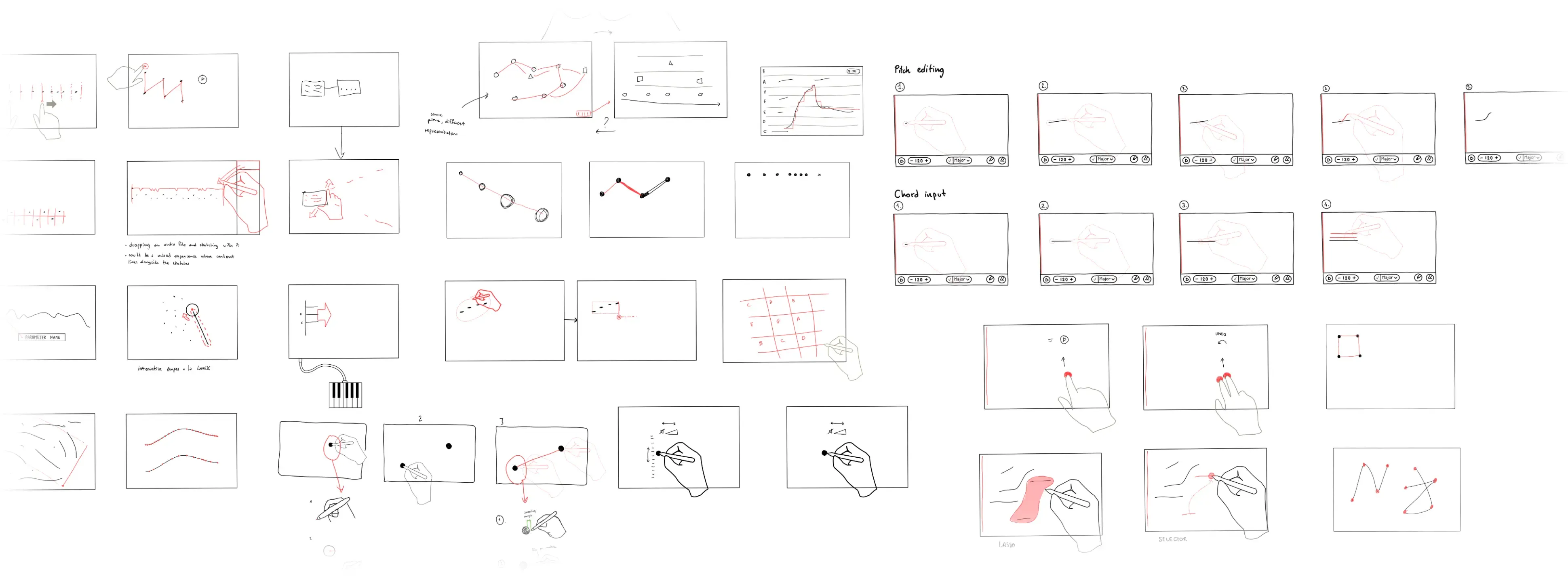
Sketches of interface for entering musical data with a stylus and touch.
Prototyping
In order to experience and iterate on my ideas, I built a series of prototypes using HTML, p5.js and Tone.js. This technical stack allowed me to put together working prototypes relatively quickly. I didn't have to focus on the intricacies of generating sounds and I could instead focus on the interface.
Scribbler Prototypes
The prototypes that eventually became Scribbler showed how important a framework is when users use digital sketching interfaces. Early tests showed that a blank canvas with no grids or guides failed at providing enough support and context that could help the expected sound match with the one actually rendered by the prototype. By adding clear pitch and tempo guides, this issue disappeard.
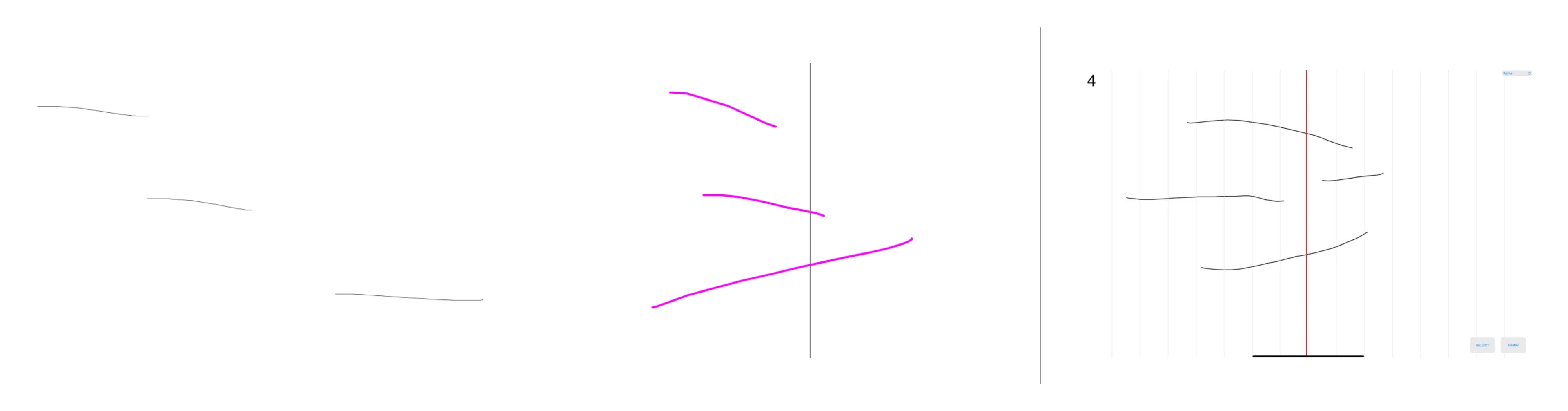
Early prototypes of Scribbler, going from a barebones interface to the introduction of buttons and visua guides.
Looper Prototypes
For Looper, much of the exploration was geared towards understanding the best ways a pen & stylus input could be used to fluidly input pitch and tempo information in a node-based interface. To make the interface clearer and easier to use I had to add a lot of supporting information, such as note names on each nodes and more prominent feedback on time intervals.
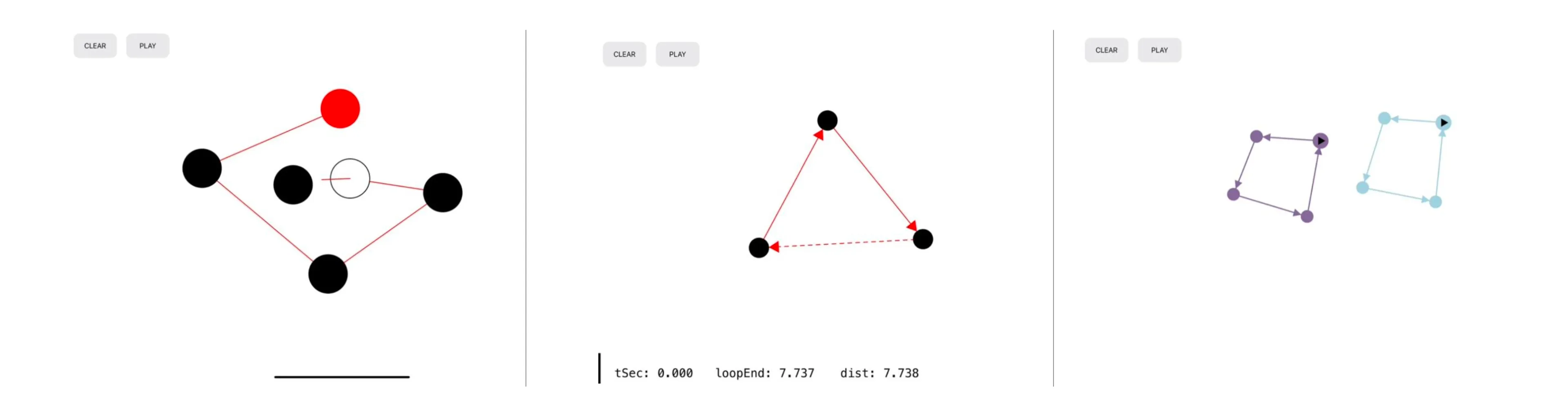
Early prototypes of Looper. The prototypes tackle issues of usability, visual clarity and best practices for supportin music ideation.
Testing & Learnings
The final step in the process was to generate knowledge with formal testing of the two prototypes. I recruited 10 users, each with varying degrees of experience and knowledge of music and the compositional process. I used moderated think-aloud as a way to assess how the participants were udnerstanding the interface in real time. I assigned them tasks to complete and refrained from helping them unless necessary.
1. The interface should be as flexible as thought itself
Users expressed the need for the interface to continuously adapt to their understanding of the musical idea. In the creative process one can decide to trace back, make changes, rethink the rethinking and bring back ideas that were previously discarded. In practice, this means that the underlaying structure needs to support undo/redo, support branches and keep an up-to-date link between data and its representation that can constantly and fluidly adapt.
2. The interface should support deep focus
Multiple users wanted a way to work on specific parts of an idea while keeping the overall structure intact. This can be easily done on paper just by starting to draw on another piece of paper. In this case, the interface needs to provide supporting structures and interactions that let the user focus and rework specific parts of an idea without scrapping the rest of their composition.
3. Sketching music is inherently tied to performance
There are people capable of coming up with pieces only by drawing or writing down ideas in iterations. But in my testing most users wanted to perform and record their performance and then modify parts of it. Therefore, these kinds of interfaces may need to support the recording and editing of ideas besides pen and touch input.